Build custom dashboards or use our templates.
All your personal finance in the Sheets: Use our pre-built financial reports or create your own dashboards.
CHAT WITH YOUR MONEY
Connect Claude, ChatGPT, or the LLM of your choice to your MoneySheets data and just ask.
MoneySheets runs a hosted MCP server. Point your AI assistant at it, sign in with Google, and it can read your transactions, manage categories, and apply categorization rules on your behalf.
Get startedSigns in with your Google account — no API keys to manage. Available on a paid plan.
WE ARE ON A MISSION TO PROVIDE ULTIMATE FLEXIBILITY
MoneySheets was created from our frustration with existing finance apps. As immigrants working in Big Tech in the US and UK, we struggled to find tools flexible enough to handle multi-currency tracking, sync delays, group payments, and custom reporting. We built MoneySheets to solve our own needs and are now sharing it with the world.


Ex-McKinsey, Goldman Sachs, Amazon
Use your Google account credentials to sign in securely. Grant MoneySheets write access to your Google.Drive and Google.Sheets. This access is crucial for daily transactions sync.
Once you have logged in, you will be prompted to connect your bank accounts. You will need to first select the country, then select the bank name and finally log in using your online banking credentials. Neither we, or any of our data providers are not storing these credentials anywhere - all this works via EU Open Banking initiative. If you want to add multiple banks, just repeat the procedure. You can easily add banks from different countries.
Duplicate our pre-designed template to your Google Drive via Google Sheets duplication function and share edit access with our service account.
Modify the template to your liking: create the income and expenditure categories you'd want to use and set up autocategorization rules.
MONTHLY REPORT
You can use this tab to track down your current income, expenditures and net inflow.
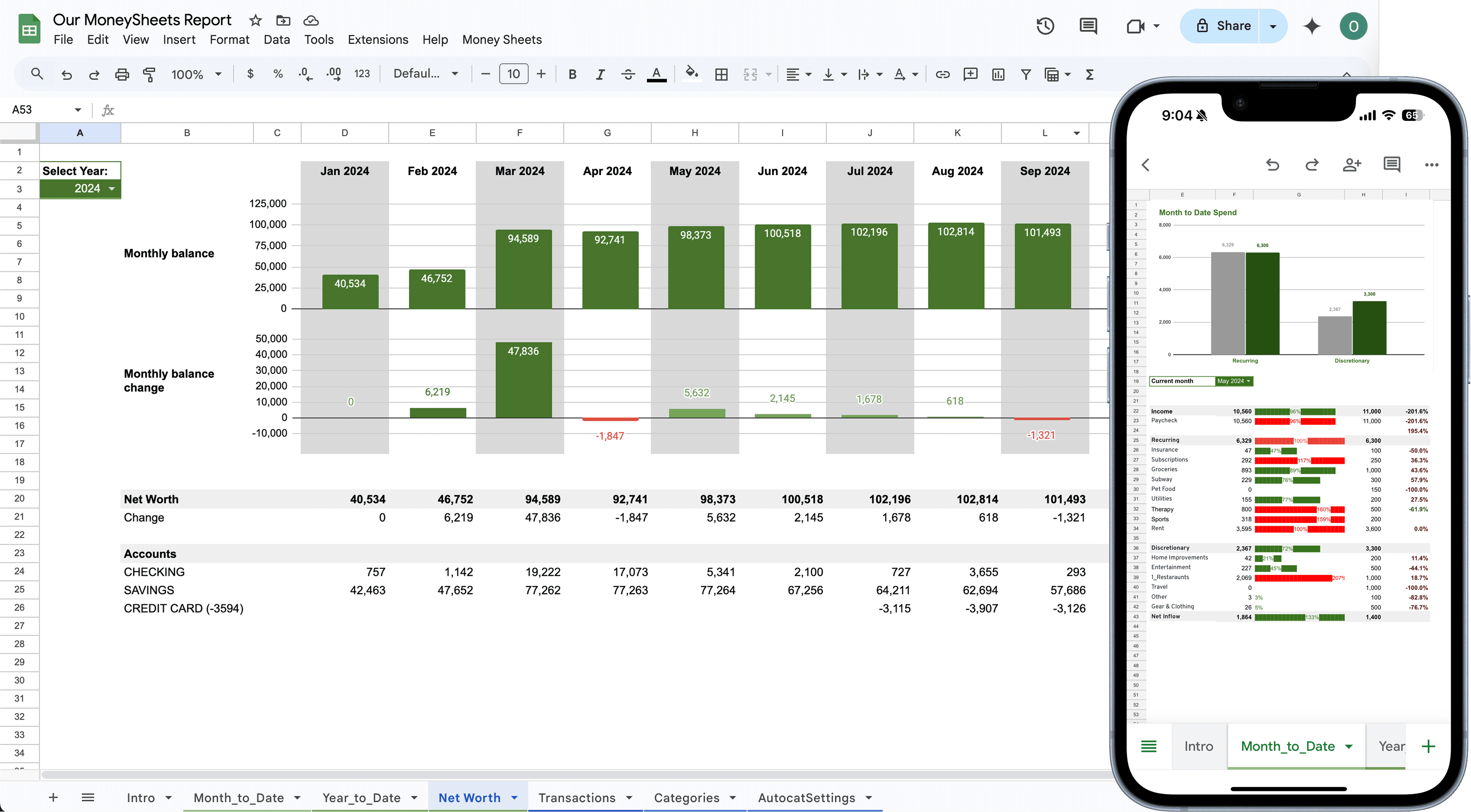
NET WORTH REPORT
This report helps you to see your net worth growth over time with every month's contribution towards it as well as most up to date balance by different accounts.
YEARLY REPORT
You can see all of your income, and expenses by categories over a year period. Helps to see in January, when you plan for the new year.