The Savings Bank Ohio Business
MoneySheets supports The Savings Bank Ohio Business API integration in United States!
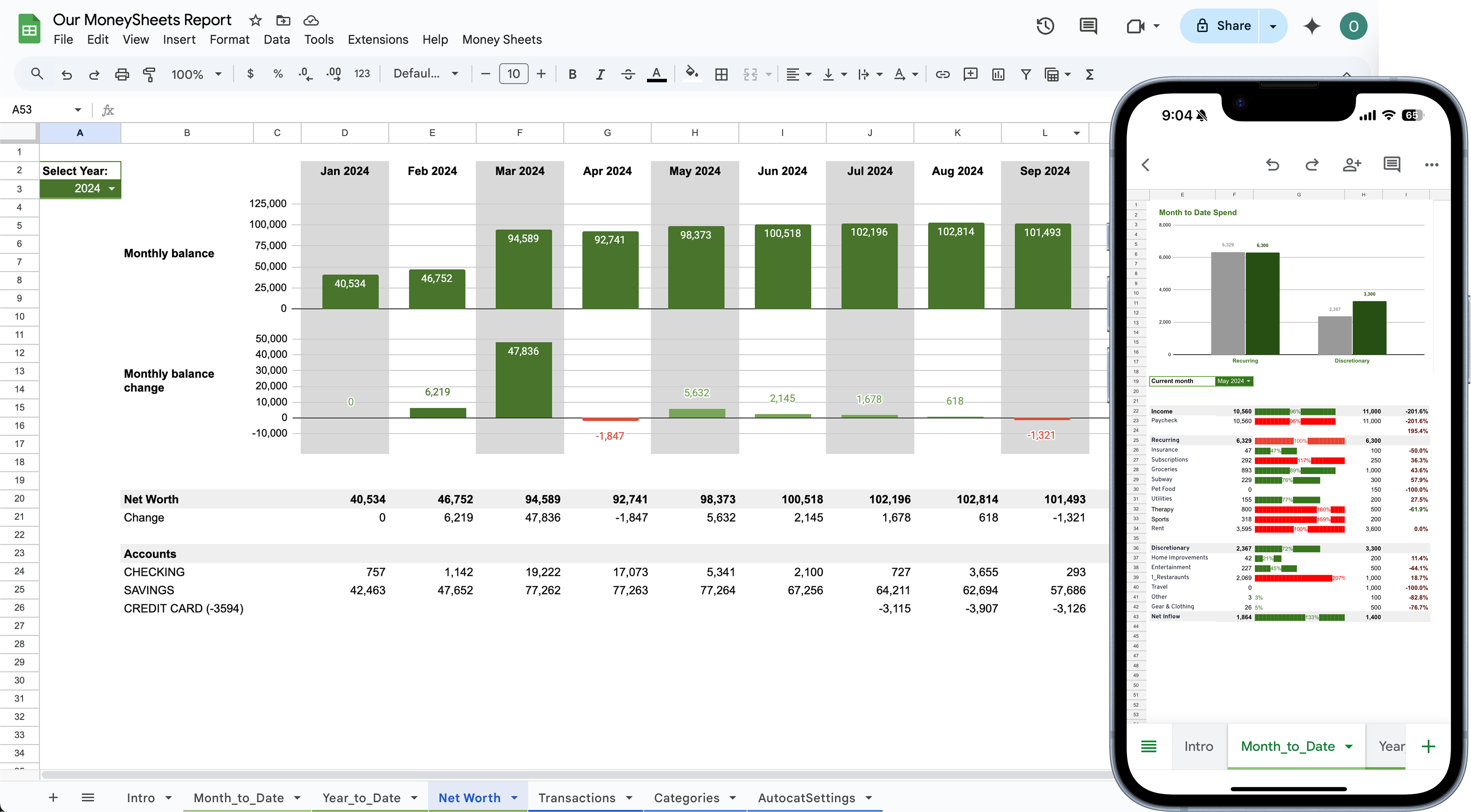
MoneySheets supports The Savings Bank Ohio Business API integration in United States. You can use MoneySheets ↔ The Savings Bank Ohio Business integration to automatically sync your transaction data into a Google Sheets template. Our secure connection provides real-time updates, automatic categorization, and seamless financial tracking across all your accounts up to 90 days.
Bank Information


Notice an error in the bank information above? Help us improve by reporting it to our team!
The bank information provided above is crowdsourced and for reference purposes only. Users should verify all details with their financial institution before using any information for transactions or financial decisions. MoneySheets is not responsible for the accuracy of bank details or any consequences arising from their use. Always consult with your bank to confirm critical information like routing numbers, SWIFT codes, and contact details.
Frequently Asked Questions
How do I connect The Savings Bank Ohio Business to Google Sheets?
+Connecting The Savings Bank Ohio Business to Google Sheets with MoneySheets is simple. First, sign in with your Google account, then connect your The Savings Bank Ohio Business account using your online banking credentials through our secure Open Banking connection. Finally, duplicate our Google Sheets template and grant access to our service account. Your The Savings Bank Ohio Business transactions will sync immediately after completing the onboarding process.
Is The Savings Bank Ohio Business integration with MoneySheets secure?
+Yes, The Savings Bank Ohio Business integration is completely secure. We use GoCardless, which is registered with Open Banking and complies with EU Open Banking regulations, and Teller (https://teller.io) for the US banks. MoneySheets never stores your banking credentials or transaction data - everything goes directly to your private Google Sheets.
How often are The Savings Bank Ohio Business transactions synced?
+The Savings Bank Ohio Business transactions are synced automatically every day at 3 AM CET. All transactions appear in your Google Sheets with their proper status (pending or settled). You can also manually trigger a sync from your MoneySheets dashboard if needed. Historical transactions up to 90 days are included in the initial sync.
What The Savings Bank Ohio Business account types are supported?
+MoneySheets supports both personal and business The Savings Bank Ohio Business accounts . This includes checking accounts, savings accounts, current accounts, and credit cards.
Can I use The Savings Bank Ohio Business integration in multiple countries?
+Yes! The Savings Bank Ohio Business integration works in United States. MoneySheets supports multi-currency tracking, so you can combine accounts from different countries in a single Google Sheets dashboard. All transactions are automatically converted to your preferred base currency.
Who has access to my transaction data?
+We don't store anything - you control access via Google Sheets access functionality. MoneySheets acts as a secure bridge that transfers your transaction data directly from your bank to your private Google Sheets. All information remains in your own Google account, and you decide who can view or edit your financial data through Google's sharing settings.
TRACK MONEY
IN GOOGLE SHEETS
AUTOMATICALLY
 Try now for free